For 1 account
49.2%lower monthly
subscription cost
PineHook Standard
$29.99/month
Planned after beta. Subject to change.
Includes 1 license
PineConnector Core1 license$59/month*
$29.01 less per month at planned pricing.
More powerful. More affordable.
Connect your TradingView alerts to MT5 or cTrader and manage your trading from one PineHook dashboard, where you can copy alerts across accounts, set trading windows around economic news, and adjust open positions.
cTrader runs in the cloud. No VPS needed.
Bring supported PineConnector-format alerts through compatibility mode. See how to switch.
Free Pro access during beta with 3 licenses. No credit card required.

More licenses for your budget
Pro access. No credit card.
49.2%lower monthly
subscription cost
PineHook Standard
$29.99/month
Planned after beta. Subject to change.
Includes 1 license
$29.01 less per month at planned pricing.
53.5%lower monthly
subscription cost
PineHook Pro
$59.99/month
Planned after beta. Subject to change.
Includes 3 licenses
$69.01 less per month at planned pricing.
34.7%lower monthly
subscription cost
PineHook Premium
$129.99/month
Planned after beta. Subject to change.
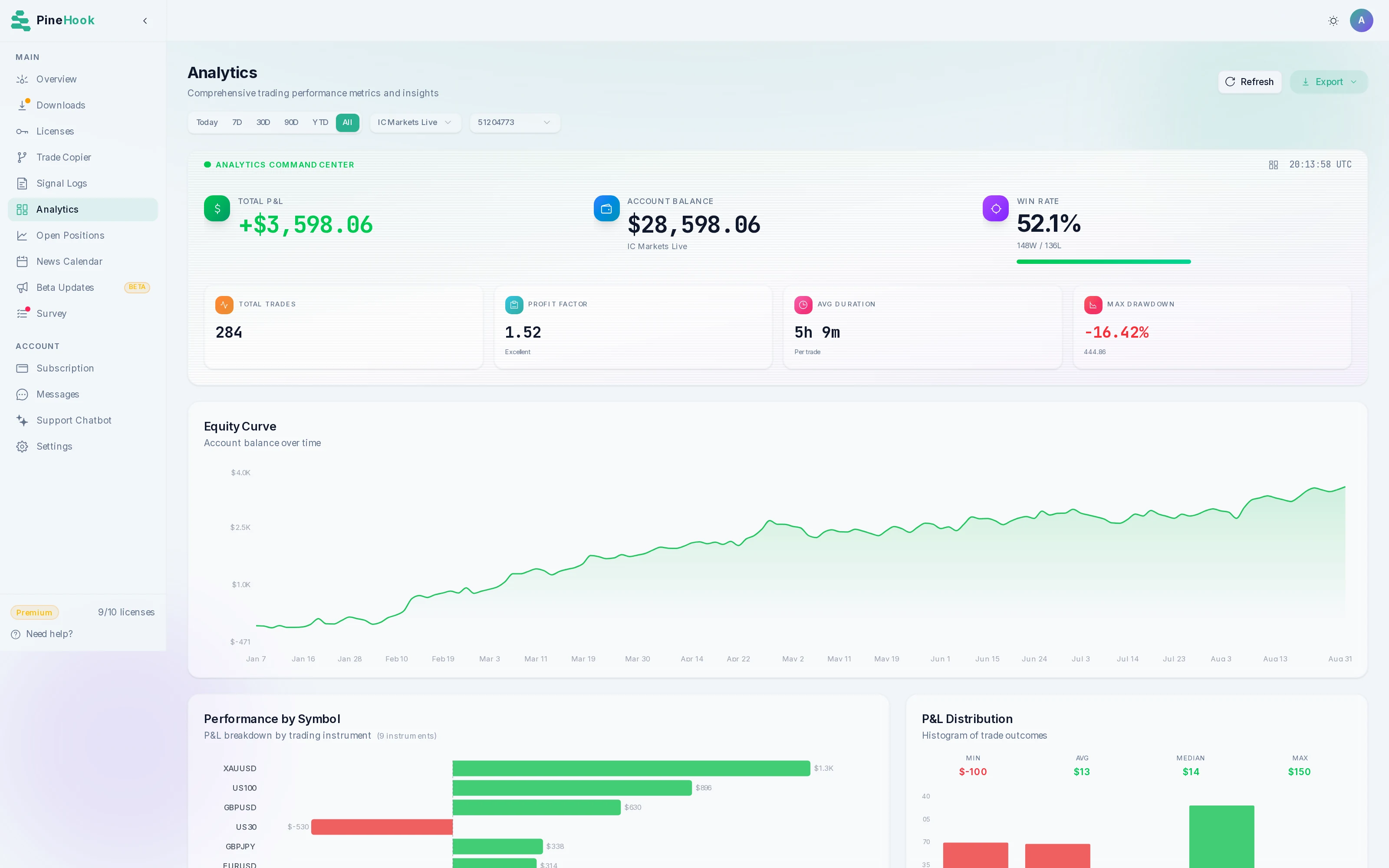
Includes 10 licenses, room for 5 more accounts
$69.01 less per month at planned pricing.
When comparing costs, keep in mind that PineHook for MT5 runs on your own terminal, so you should include any VPS charges in your budget. PineConnector includes hosted MT5, while PineHook's cTrader connection runs in the cloud without a separate terminal or VPS.
All prices are in USD with monthly billing, and taxes may apply. The PineHook prices shown are planned for after beta and are not yet available to purchase. *PineConnector Core and Plus cost $59 and $129 during launch, with announced prices of $69 and $149 for new subscriptions after launch. Its Pro plan costs $199 for five licenses, which PineConnector counts as concurrent account connections.
We checked PineConnector's pricing on October 1, 2026, and you can find PineHook's plan limits and annual pricing on our pricing page.
PineHook vs PineConnector
Current capabilities, operating requirements, and sources. Checked September 24, 2026.
| What matters | PineHook | PineConnector |
|---|---|---|
| Setup | PineHookFor MT5, attach the PineHook EA to your own running terminal. For cTrader, connect and manage your account through the dashboard; trading runs entirely in the cloud without a terminal or VPS. | PineConnectorManaged MT5 hosting through Edge is included. Self-hosting is also available. Source |
| Trade Copier | PineHookOne alert to selected accounts, with individual lot multipliers, symbol settings, and risk controls. Pro and Premium. | PineConnectorOne License ID can deliver to multiple accounts within the plan limit. Outcomes depend on each receiving account and its settings. Source |
| News filter | PineHookAccount-specific windows around relevant economic releases, with currency and impact settings. | PineConnectorNews filtering is not available. Pulse includes an economic calendar. Source |
| Browser position controls | PineHookClose all or part of a selected position and edit its stop loss or take profit. | PineConnectorBrowser position controls are not available. Edge provides monitoring and terminal logs. Source |
| Multi-target exits | PineHookUp to ten take-profit and ten stop-loss levels, with percentage or lot allocations. | PineConnectorMulti-level exits are not available. Partial closes, trailing stops, and breakeven are supported. Source |
| Account settings | PineHookConfigure supported account settings from the dashboard. | PineConnectorSelf-hosted EA settings are changed through MetaTrader inputs. Edge provides browser-based settings editing, applied through a terminal restart. Source |
| Missed-alert recovery | PineHookChoose how eligible missed alerts are handled after reconnection, with an expiry window. Missed opens are not automatically replayed. | PineConnectorMissed-alert recovery is not available. Connection notifications and troubleshooting are provided. Source |
| Logs and analytics | PineHookAlert status and timing, execution results, open positions, and account analytics. | PineConnectorSignal logs, Edge Experts/Journal logs, and analytics. Detailed analytics are on Plus and Pro. Source |
| Alert limits | PineHookPublished rate and daily limits vary by plan. See PineHook plans for current allowances. | PineConnectorUnlimited standard alert processing, subject to service terms and fair use. Source |
| cTrader | PineHookCloud connection through cTrader authorization. No EA or running personal computer required for cTrader. | PineConnectorcTrader is not available. The service supports MetaTrader. Source |
PineConnector's published plans and early-access capabilities can change. PineHook plan allowances.
Independent comparison. PineHook is not affiliated with or endorsed by PineConnector. Report an outdated comparison.
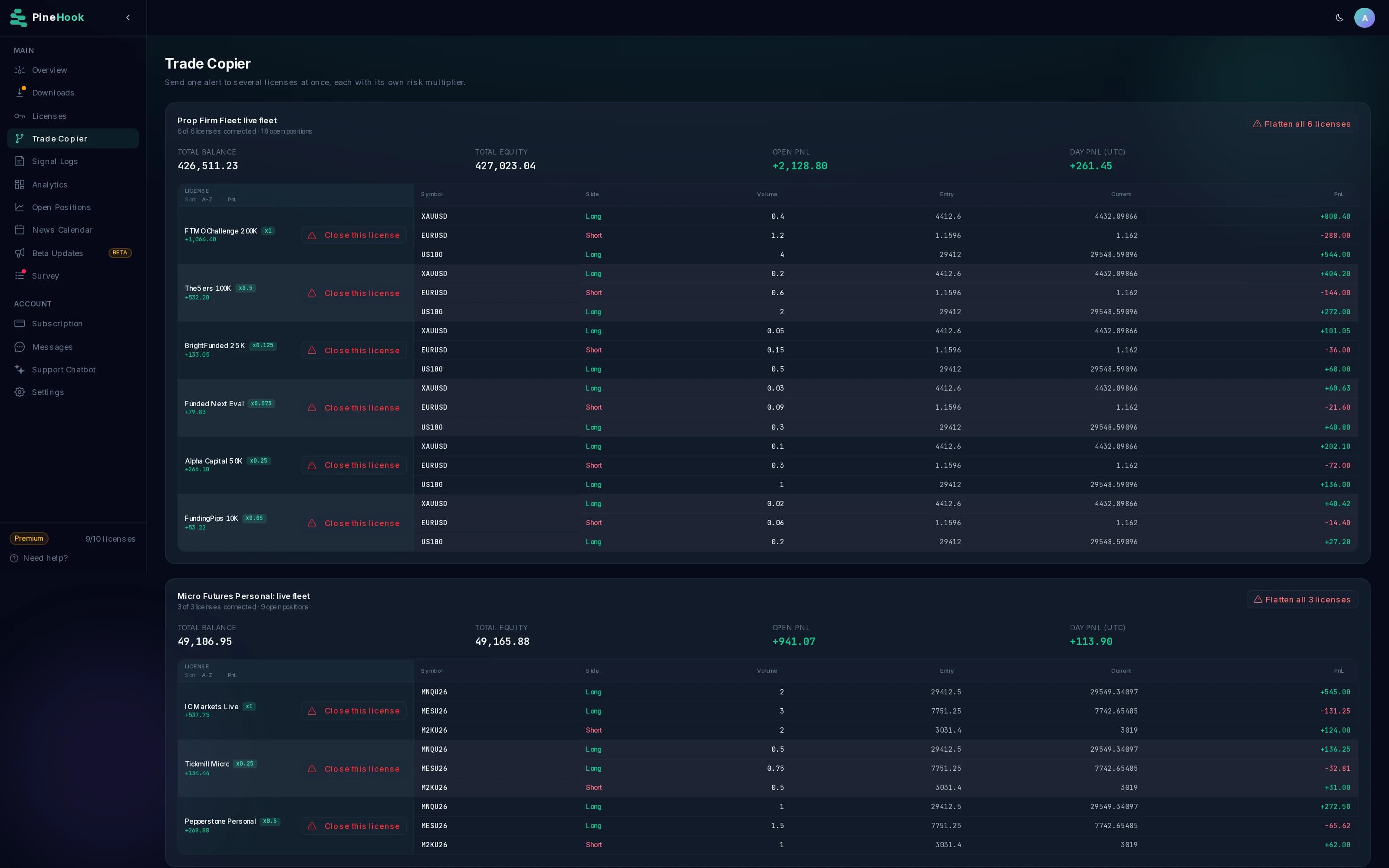
Trade Copier
Run the same TradingView strategy across selected MT5 and cTrader accounts. Give each account its own lot multiplier, symbol mapping, and risk settings. Keep the setup together in one dashboard.
Available on Pro and Premium. Broker volume rules and each account's limits still apply.
News filter
Configure entry restrictions around relevant economic releases. Choose currencies, impact levels, and how long to hold new entries before and after an event, separately for each account.
Trade management
Adjust the trade as it develops from your browser, and decide in advance what happens to alerts sent while you are disconnected.
Close a whole position, a percentage, or a lot amount. Edit its stop loss and take profit from the dashboard.
Browser position controlsConfigure up to ten take-profit and ten stop-loss levels with percentage or lot allocations. Your running MT5 EA manages the partial exits.
Multi-target exits and protectionSet an expiry window for eligible missed alerts. Recover missed closes automatically or choose notifications only. Missed opens are not automatically replayed.
Alert recovery settingsOpen Trade Copier, review positions, or browse the News Calendar using sample data.
Interactive demo with sample data. All actions are simulated.
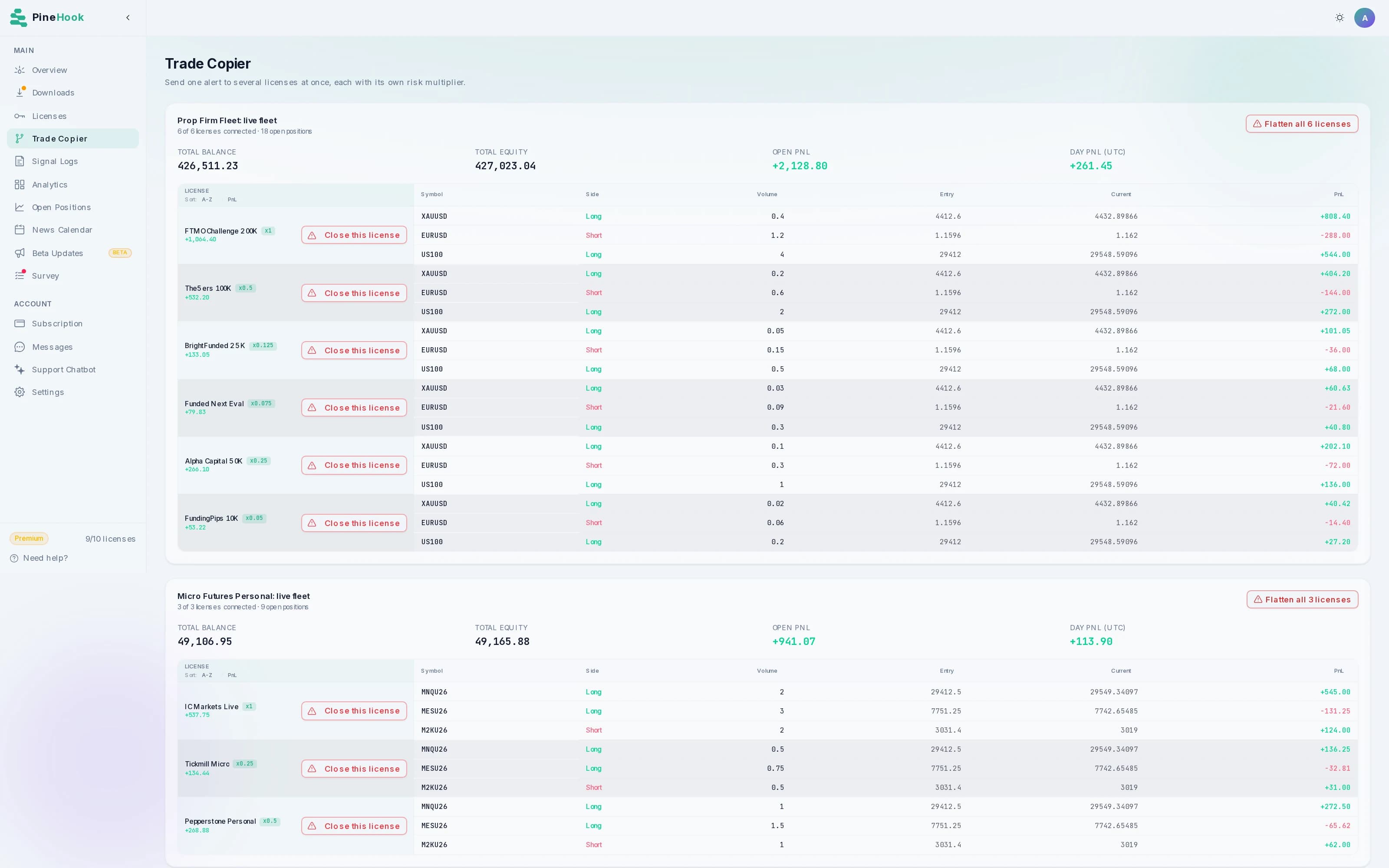
Review connected accounts and their open positions together, with a separate multiplier for each copier destination. Read the guide.
Check each alert's status and timing breakdown, then inspect the details when a trade is rejected or takes longer than expected. Read the guide.
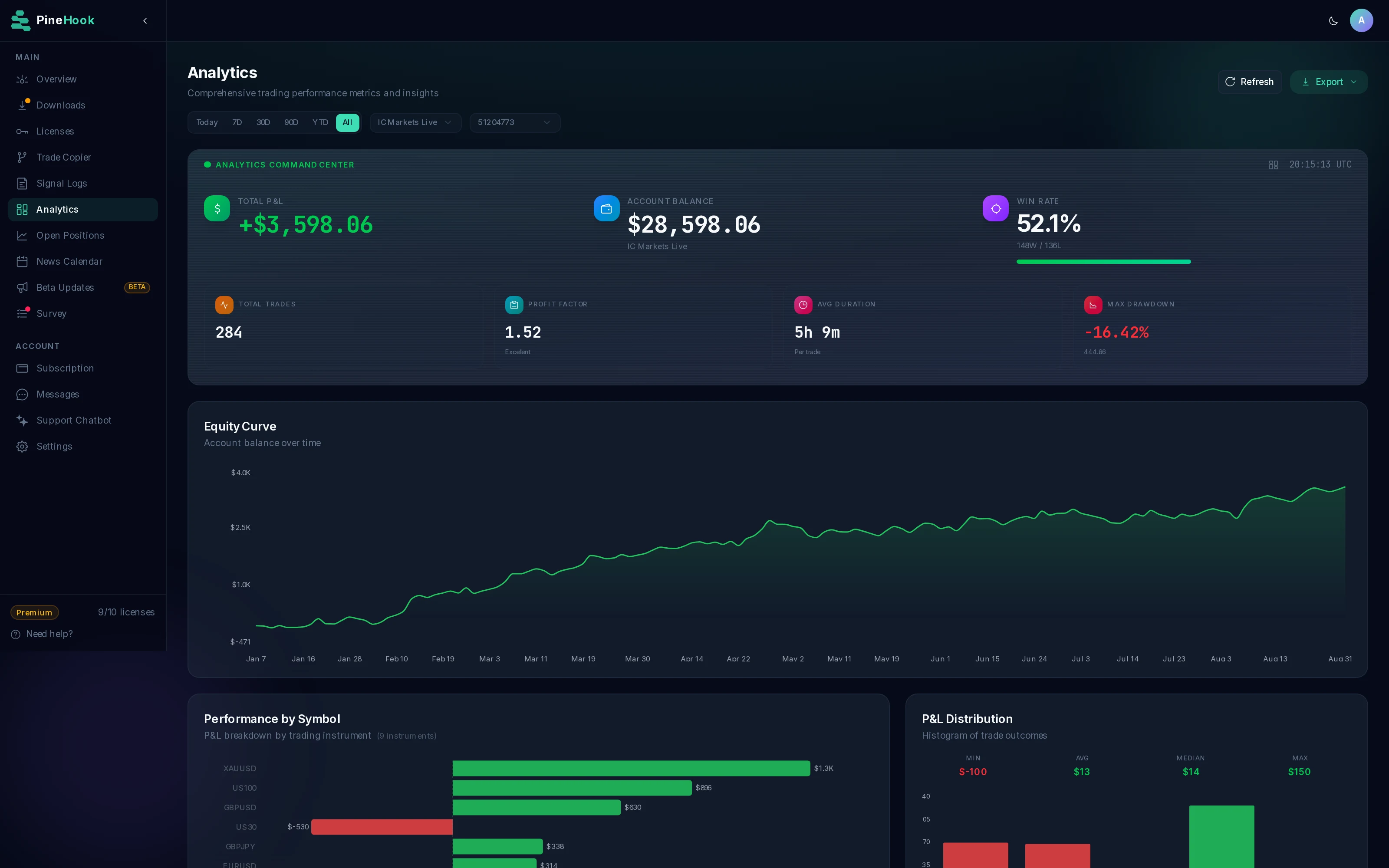
Compare equity, drawdown, and results by instrument using a consistent sample trading history. Read the guide.
Inspect open trades, adjust stops and targets, or try a partial close using the demo's simulated controls. Read the guide.
Explore the settings assigned to each license and how accounts are configured in the dashboard. Read the guide.
Browse releases by currency and impact, then select a license to see its configured news-filter window. Read the guide.
Switching from PineConnector
PineConnector compatibility mode gives supported alerts a route into PineHook. Match your configuration and test the behavior before moving your strategy.
For MT5, install the PineHook EA, enter your license, and keep your terminal running. Or connect your cTrader account through the dashboard to trade in the cloud, with no terminal, VPS, or open browser needed.
Enable compatibility mode. Match sizing, target, pending-entry, and account-filter settings.
Use the PineHook webhook URL and license. Review the supported parameters and known differences.
Check entries, exits, volume, and strategy selection. Inspect the result in your logs and terminal.
Review the documented differences in comment-based strategy selection, closeall scope, and atrshift. Match your settings and test your alerts on a demo account.
Read the compatibility guideEach EA bundle has a published SHA-256 checksum. The MT5 installation guide explains how to verify your download.
Yes. Install the PineHook EA in your MT5 terminal and connect it with your PineHook license. Keep the terminal running on your computer or VPS. You do not need to move your account to cTrader.
PineHook supports PineConnector-format alerts through compatibility mode. Update the webhook destination and license, match your sizing and target settings, and test on a demo account. Check the documented differences, especially comment-based strategy selection, closeall scope, and atrshift, before switching.
No. PineHook MT5 uses your running terminal, so include any VPS cost in your comparison. PineConnector includes managed MT5 hosting in its current plans. PineHook also offers a cloud connection for cTrader accounts without a separate terminal or VPS.
Yes. Trade Copier can send an alert to selected MT5 and cTrader licenses, with separate sizing and account settings. Trade Copier is available on Pro and Premium. Each destination must be connected and its broker or prop firm must permit the automation you use.
No. Configure currencies, impact levels, and trading windows to match your account rules. New entries can be blocked around relevant events, and stop and target changes can optionally be held. Closing positions and cancelling orders remain available. Check your firm's rules and test your configuration.
Prices labeled as planned may change before launch and are not purchasable while that label applies. The offer and price section identifies beta access separately from planned or live subscription prices. All comparison amounts are in US dollars.
Free Pro access during beta with 3 licenses. No credit card required.