For funded and challenge accounts
Prop firm trading automation
with every tool a funded account needs
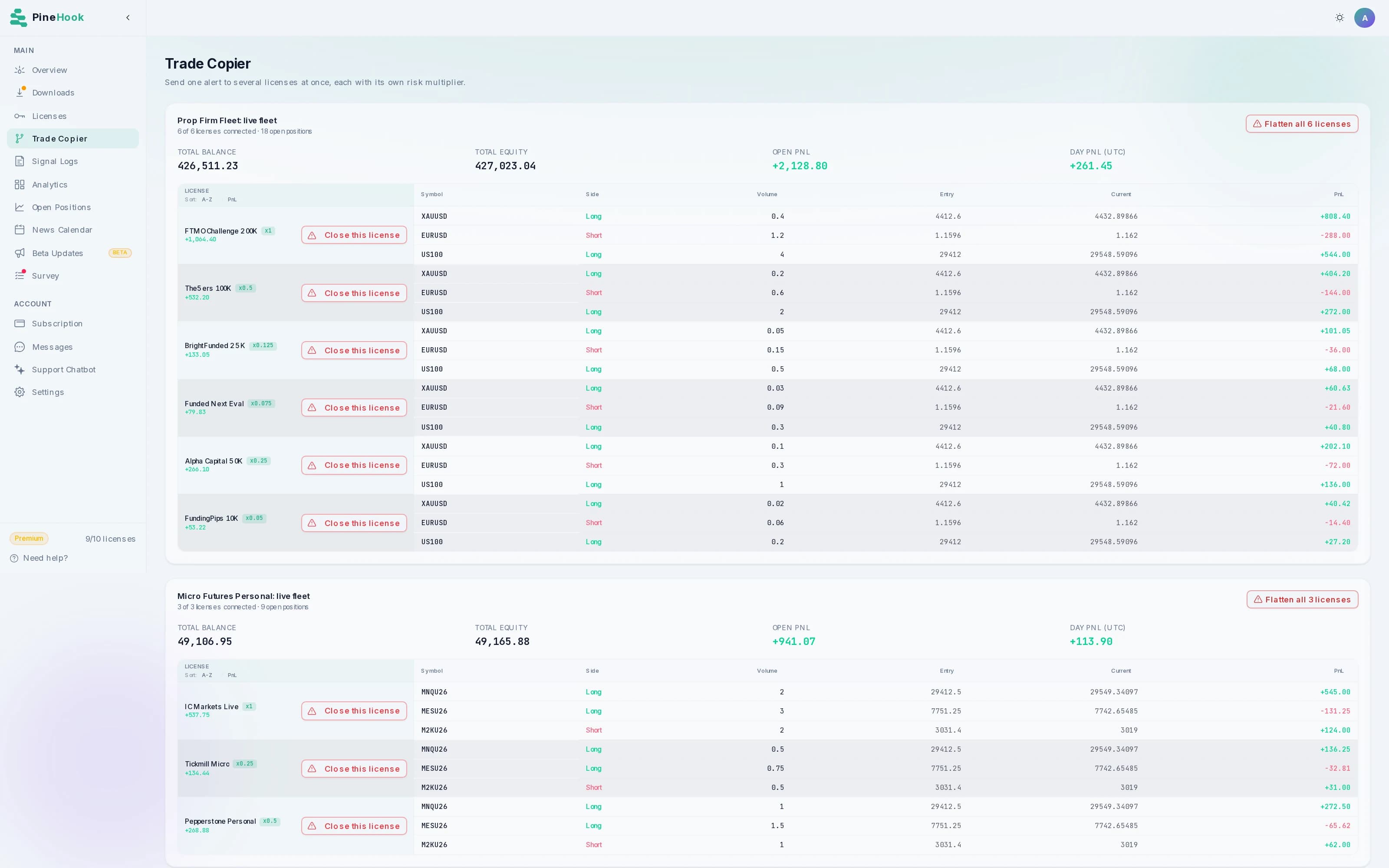
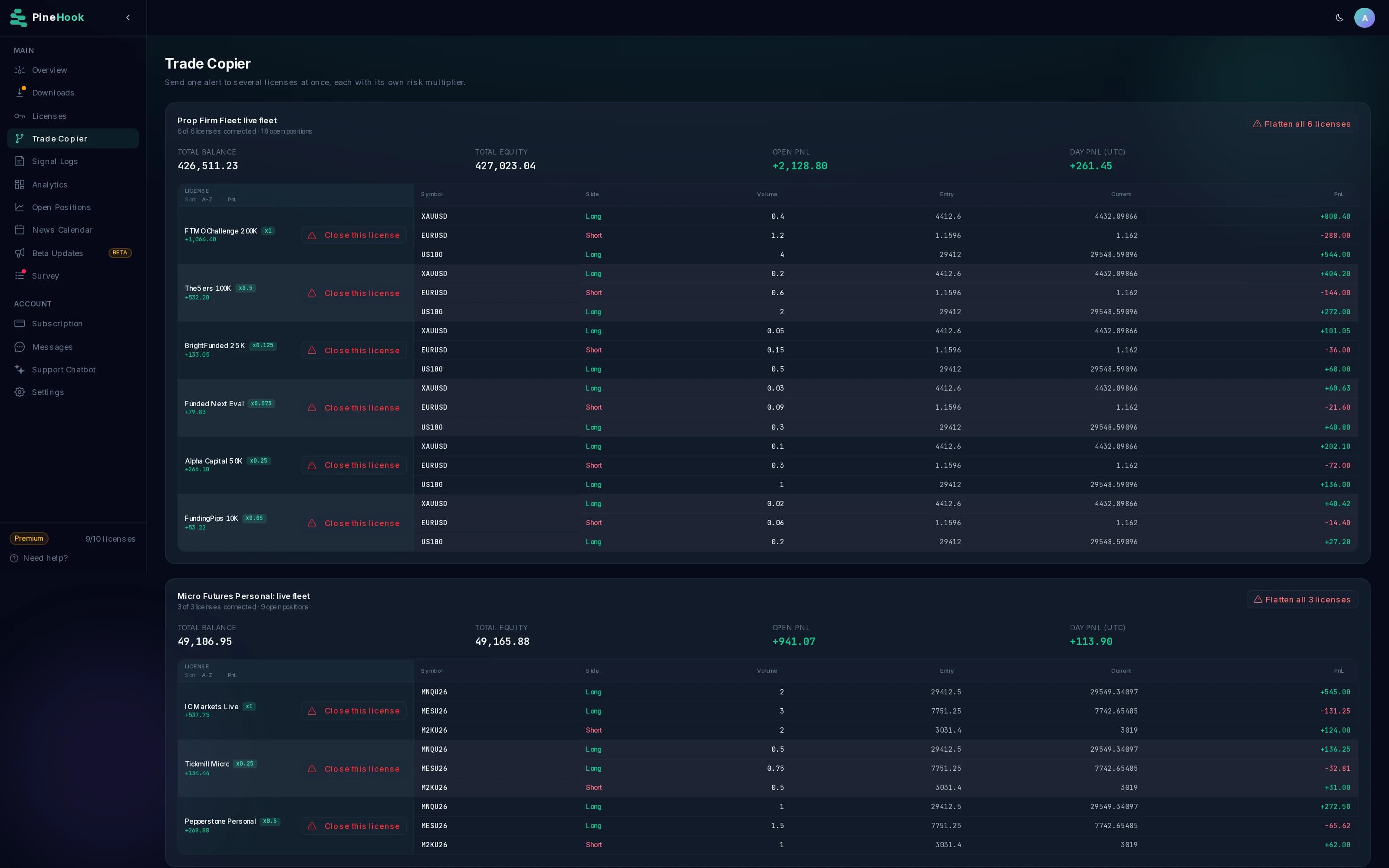
A Trade Copier sends your TradingView alert to every account, each with its own lot size. Drawdown, session and spread limits ship inside the EA with multi-TP, trailing and breakeven, and they hold on your own terminal when nothing else does.
Three licenses free while the beta runs. No card required, and your prop firm login never reaches us.
A strategy can be profitable over a hundred trades and still cost you the account on the one afternoon nobody was watching, because the rule that ended it was a daily loss limit rather than a bad edge. Most prop firm automation treats that as your problem. We think the guardrails belong in the same place the trades are placed.
What actually ends a prop firm challenge
Almost none of it is a bad strategy. Seven failures account for most of the evaluations that fail, and every one of them is mechanical, which is the whole argument for automating the rules instead of remembering them.
The daily loss limit, breached in a single session
This ends more prop firm challenges than every other cause combined, and it is rarely one bad trade. It is a losing morning, a position held to prove a point, and a limit crossed while nobody was at the screen. The PineHook EA blocks new entries the moment the day's loss crosses the figure you set, cancels the pending orders it placed so none of them fill an hour later, and holds that block even if the limit is raised while the day is still running.
One position sized for the wrong account
A lot size that is ordinary on a funded account is reckless on a 10k evaluation, and one TradingView alert reaches both. Per-account exposure caps hold every license to its own ceiling, set in lots or as a share of equity, and an oversized alert is refused outright unless you would rather have it trimmed to the cap and sent.
A position nobody was watching
Rules about holding through a rollover, a weekend or a session boundary get broken by absence rather than by intent. Trading hours block new entries outside your window while still allowing exits, the EA can flatten every position when that window closes, and a timed close ends a trade at an hour you name.
The spread on a news release
When a news or data release goes public, the spread on a major pair can go from one pip to twenty for a few seconds, and an order filling in that window fills at a price the strategy never planned for. A spread ceiling stops that. Entries are skipped while the spread is wider than the limit you set, then resume once it comes back to normal.
A trade opened straight into a news ban
Most firms forbid entries in a window around high-impact releases, and the rule is broken by a strategy that has no idea the calendar exists. The News Filter closes that window for you. Set how many minutes before and after a release the EA should stand down, and entries inside it are refused while exits and trade management keep running.
Drawdown measured the way your firm measures it
Firms do not agree on what drawdown means. Some reset the allowance at the end of every day. Some trail it up behind a new high and never let it fall back, and they disagree about whether an open trade's unrealised profit counts toward that high. Some hold a fixed floor for the life of the account, and some scale the floor with a percentage of your best balance. A trader watching the wrong one passes every check they run and still gets the email. PineHook gives you all five as separate modes, so the figure the EA holds you to is the figure your firm is actually measuring.
The rule no automation can hold you to
One of them, and I would rather say so here than have you find out on a funded account. Nothing in the product enforces a consistency rule, because that is a judgement about how profit is spread across days rather than a limit any single trade can be measured against.
Every limit named above is an EA setting rather than something to write into an alert. The full settings reference lists each one, and the command guide covers what an alert can carry.
Not one of those needs a better strategy to prevent. Each needs a limit checked every second by something that does not get tired, does not talk itself into one more trade, and never looks away from the screen. That is what prop firm trading automation is for.
Limits that hold when nothing else does
Every guardrail below runs in the Expert Advisor on the MT5 terminal itself, which needs only that terminal and the broker behind it. If our servers go down or the alerts stop arriving, these keep running.
Drawdown limits
Pick the mode your firm uses: reset at the end of each day, trail behind your highest equity or your highest closed balance, hold a static floor, or keep a percentage of your best account value. The EA stops taking new entries the moment the loss crosses the figure you set, including floating profit and loss, or closes everything if you would rather exit the market outright. We also cancel the pending orders PineHook placed while the block is active, and we consider that the more important half. A resting order filling two hours later is a common way a halted day still ends in a breach.
Mode: Trailing (closed) Max drawdown: 4% On breach: close and blockRisk management settings
Trading sessions
Define the window a strategy may open trades in, measured in broker time, UTC or local time. Outside it, entries are refused while closes, cancels and trade management still run, so a session boundary never traps anyone in a position. The EA can also flatten everything when the window ends, which is how traders handle rules about holding over a rollover or a weekend.
Active hours: 08:00 to 17:00 UTC Close outside hours: onActive hours reference
Spread ceiling
Entries are skipped when the spread is wider than the ceiling you set, in pips or as a percentage of price. That keeps a strategy from filling into the blowout around a data release, at a price no backtest ever assumed. It applies per alert, so a normal spread later in the session still trades.
Max spread: 3 pipsSpread settings
Exposure caps
Cap the exposure allowed in one symbol, as lots or as a percentage of equity, and choose whether an oversized alert is refused or trimmed to the cap. We default to refusing on a challenge account, because a trade at a size nobody chose is worth less than no trade.
Max long: 1.0 lots per symbol On breach: rejectPosition limits
Once an end-of-day drawdown block is latched, raising the limit will not lift it; it clears at the reset hour. Turning the limit off entirely lifts it sooner, because there has to be a way out, but that is a deliberate act rather than a slider nudge during a losing streak. The trailing, static and relative modes have no reset hour, so their block holds until you change the drawdown settings. Each license carries its own values, so a 10,000 challenge and a funded account never share a limit.
News Filter
Nearly every firm bans entries around high-impact releases, and a strategy that cannot read a calendar breaks that rule without ever knowing it did.
Before
5 min
New entries stop this long before the number is published.
The release
13:30
The spread widens, the book thins, and nothing of yours goes in.
After
5 min
Entries resume once the spread settles and the print is priced.
Only entries are held. Closes, cancels, trailing stops and breakeven keep running through the window, which matters because a rule about opening trades should never strand a position that is already open. Each license carries its own window, so a firm with a stricter news rule than the others can sit on a wider one without changing how the rest trade.
One alert, every account, its own size
Running three challenges usually means three TradingView alerts and three chances to edit one wrong. A Trade Copier gives you a single ID to put in the alert where a license key normally goes.
8EE3-8C9A-FBB1-14D9,buy,EURUSD,size_lots=0.10
Challenge, 10k
0.5x
0.05 lots
Challenge, 25k
1x
0.10 lots
Funded, 100k
2x
0.20 lots
The multiplier scales whichever sizing the alert uses, whether that is a lot count, a percentage of equity or a cash amount at risk. Stop and target distances stay identical everywhere, because it is the same trade at three sizes. Each license's own limits still apply, so a copier can never push a position past a cap set on that account. Setting up a Trade Copier.
One symbol, however each broker spells it
TradingView says US30. One firm lists it as US30.cash, the next as DJ30.r, the third puts a prefix on everything. Send the same alert to all three and two of them would fail with the symbol unavailable.
Your alert says
US30
Account
Mapping you set
Broker receives
Challenge, Broker A
Suffix: .cash
US30.cash
Challenge, Broker B
Rename: US30 to DJ30.r
DJ30.r
Funded, Broker C
Prefix: i.
i.US30
A rename skips the prefix and suffix entirely, so its value is the broker's full symbol. Your alerts, your symbol filters and your dashboard all keep the clean TradingView name, and only the order sent to the broker carries the broker's spelling.
Each license carries its own mapping, and a per-license mapping replaces the account-level one rather than merging with it, so a half-inherited rule can never leave you guessing which symbol a trade actually went to. How symbol mapping works.
The dashboard a challenge runs on
Settings, positions, results and the delivery record for every account, in one browser tab rather than four MT5 terminals.

One license per challenge account, each carrying its own drawdown limit, spread ceiling, position caps and trading hours. A 10k evaluation and a funded account never share a setting by accident.
EA settings per accountProp firms that allow EA trading on MT5
PineHook works with any firm running MetaTrader 5 that permits Expert Advisors. Whether a firm permits one, and which drawdown it holds you to, is the firm's call rather than ours.
| Firm | Platform | EAs | What their rule says |
|---|---|---|---|
| FTMO | MT4, MT5 | Yes, no pre-approval | Standard strategies run without approval. The account must not exceed 2,000 server requests a day, and HFT and latency arbitrage are out. Their rule |
| FundedNext | MT4, MT5 | Yes, for a fee | Allowed on MT4 and MT5 with an EA usage fee, and banned on cTrader and Match-Trader. One strategy caps at $300,000 of allocation, and passing with an EA then trading manually is not allowed. Their rule |
| The5ers | MT5, cTrader | Yes, if you own it | No HFT and no scalping across the rollover. Your stop has to be visible on the platform, so stealth stops are out, which suits an EA that places real orders. Their rule |
| E8 Markets | MT5 | Yes | One strategy per user, so a shared third-party EA risks termination. No more than half your trades may last under a minute, and the same 2,000 modification ceiling applies. Their rule |
| Blue Guardian | MT5 | Yes | Allowed across their challenge types, and they run a dedicated MT5 server for automated strategies. Their published rules are worth reading in full before you pick a plan. Their rule |
| FunderPro | MT5, cTrader | Yes, if you own it | Automation is fine when the strategy is yours. Third-party EAs are out unless you own the source, and so is replicating one strategy across accounts through a shared EA or a signal service. Their rule |
| Goat Funded Trader | MT5 | Yes | Allowed provided the prohibited-practices rule is met. HFT and gold arbitrage are out, and duplicating trades between your own accounts is treated as a breach. Their rule |
Each row was checked against that firm's own rules on 5 August 2026, and it is still a starting point rather than the rule book. Firms change these terms without announcing it and several run different rules across their own account types, so read the agreement for the plan you are buying before you attach anything to it.
Some well-known firms are missing on purpose. Futures firms such as Topstep and Apex do not run MetaTrader 5 at all, and others permit an EA only as a risk-management tool rather than as the strategy, which is not the same thing as allowing automation. How the EA installs.
Exits that manage themselves
Most challenge rules punish what happens after entry, so the exit logic matters more here.
Up to ten targets
Split one position across several take-profits and stops, each with its own share of the volume. Scaling out of a runner is a single alert rather than a sequence you have to babysit.
How multi-target alerts are writtenBreakeven and trailing
Move the stop to entry once a trade is far enough ahead, then trail the rest by a pip distance, a percentage or an ATR multiple. Both run in the EA between alerts, so they keep working while you sleep.
Trailing and breakeven commandsPending and delayed
Place limit and stop orders at an absolute price or an offset from the market, with an expiry. Delay an alert by a set number of seconds when your rules keep you out of the first minutes of a release.
Placing pending ordersWhen a rule breaks, you should know why
Your login stays yours
We never ask for broker or prop firm credentials. The EA trades through the terminal you already have open. Relays built on broker APIs hold that login instead, which is worth asking about before handing it over.
How the architecture worksDelivery you can check
Every alert comes back with the ticket, the filled volume, and the reason if it was refused. A rejection names the parameter and the value that caused it, so you read "active_start 25:00 must be HH:MM" rather than a generic failure.
Reading the signal logAnalytics that change decisions
Per-license analytics rank every symbol by profit and loss, plot the underwater drawdown curve, and map trades by hour of the week. Sharpe, Sortino, Calmar and expectancy sit alongside, which is how you tell a risk-adjusted edge from a lucky month.
Every metric explainedRunning in about ten minutes
- 1
Install the EA bundle
Download the bundle from the dashboard and drop it into the MT5 data folder, then drag the EA onto a chart in the terminal the prop firm issued. It is an ordinary Expert Advisor and needs no special configuration for a funded account.
- 2
Paste your license key
The EA connects to PineHook and shows up in the dashboard as online. Set the drawdown, session and spread limits there, and they push to the terminal straight away.
- 3
Point your alert at the webhook
Put the webhook URL in the TradingView alert and the license key in the message. Anyone moving over from PineConnector can skip the rewrite, because the EA reads that syntax directly and the existing alerts keep working.
Test it on a demo account first. Most prop firms hand you one, and nothing about the setup changes when you move it to the challenge.
Questions traders ask before they attach it
Can PineHook enforce my prop firm's drawdown limit?
It can hold you to a drawdown percentage you set, measured the way your firm measures it. Five modes are available: reset at the end of each day, trail behind your highest equity including unrealised profit, trail behind your highest closed balance instead, hold a static floor, or keep a fixed percentage of your best account value. The Expert Advisor checks the figure about once a second on your own terminal, including floating profit and loss on open trades. Once the limit is breached it stops accepting new entries and cancels the pending orders it placed, so nothing fills later and pushes you further down. You can also configure it to close everything immediately instead of only blocking. In end-of-day mode the block lifts at the reset hour you chose; in the other modes it holds until you change the drawdown settings, and raising the limit mid-session never lifts a day's block in end-of-day mode, which is deliberate.
Does the drawdown limit still work if my internet drops?
Yes. The check runs inside the Expert Advisor on your MT5 terminal, not on our servers, and it only needs your terminal's connection to your broker. If PineHook is unreachable, if TradingView is down, or if your alerts stop arriving, the limit keeps counting and keeps blocking. That is the scenario where a breach usually happens unattended, and it is the reason we run this check locally rather than in the cloud.
Can I run the same strategy on several challenge accounts?
Yes. A Trade Copier gives you one ID that you put in your TradingView alert in place of a license key. Every license you tick receives that alert at the same moment, and each one carries its own lot multiplier, so a 10,000 challenge and a 100,000 funded account can trade the same setup at different sizes from a single alert. The copier is included from the Pro plan, and it is part of the free plan during beta.
Does PineHook need my prop firm login?
No. PineHook never asks for broker or prop firm credentials. Our Expert Advisor runs inside the MT5 terminal already open on the desktop and places trades through the platform that terminal is logged into, so the login controlling a funded account stays where it is. Relays built on broker APIs instead of an EA have to hold those credentials on their side, which is worth asking any vendor about before handing them over.
Which prop firms does this work with?
Any prop firm running MetaTrader 5 that permits Expert Advisors, because our EA installs like any other and needs no special setup for a funded account. FTMO, FundedNext, The5ers, E8 Markets, Blue Guardian, FunderPro and Goat Funded Trader all allow one, and the table above links each of their rules. Permission is not universal though: some firms accept an EA only as a risk-management tool rather than as the strategy, so read your own firm's policy before attaching anything to a live challenge. We do not support MetaTrader 4, and futures-based prop accounts do not run on MT5 at all.
What happens to an alert if my terminal was closed?
It queues rather than disappearing, and what happens on reconnect is a setting rather than a guess. Closures Only, the default, auto-executes the close alerts it missed and flags the entries instead of opening them. Notify Only executes nothing and reports what arrived while the terminal was shut. Neither one fires a missed entry on its own, which is deliberate, because an hours-old entry into a market that has moved is how an unattended reconnect turns into a breach. An alert expiry you set bounds how old a recovered close can be. Every alert is listed in your dashboard with what the EA reported back, including the fill and the reason when something was refused.
Put it on a demo challenge tonight
Three licenses, the Trade Copier, and every risk setting on this page are included free while the beta runs. No card, and nothing to cancel.